


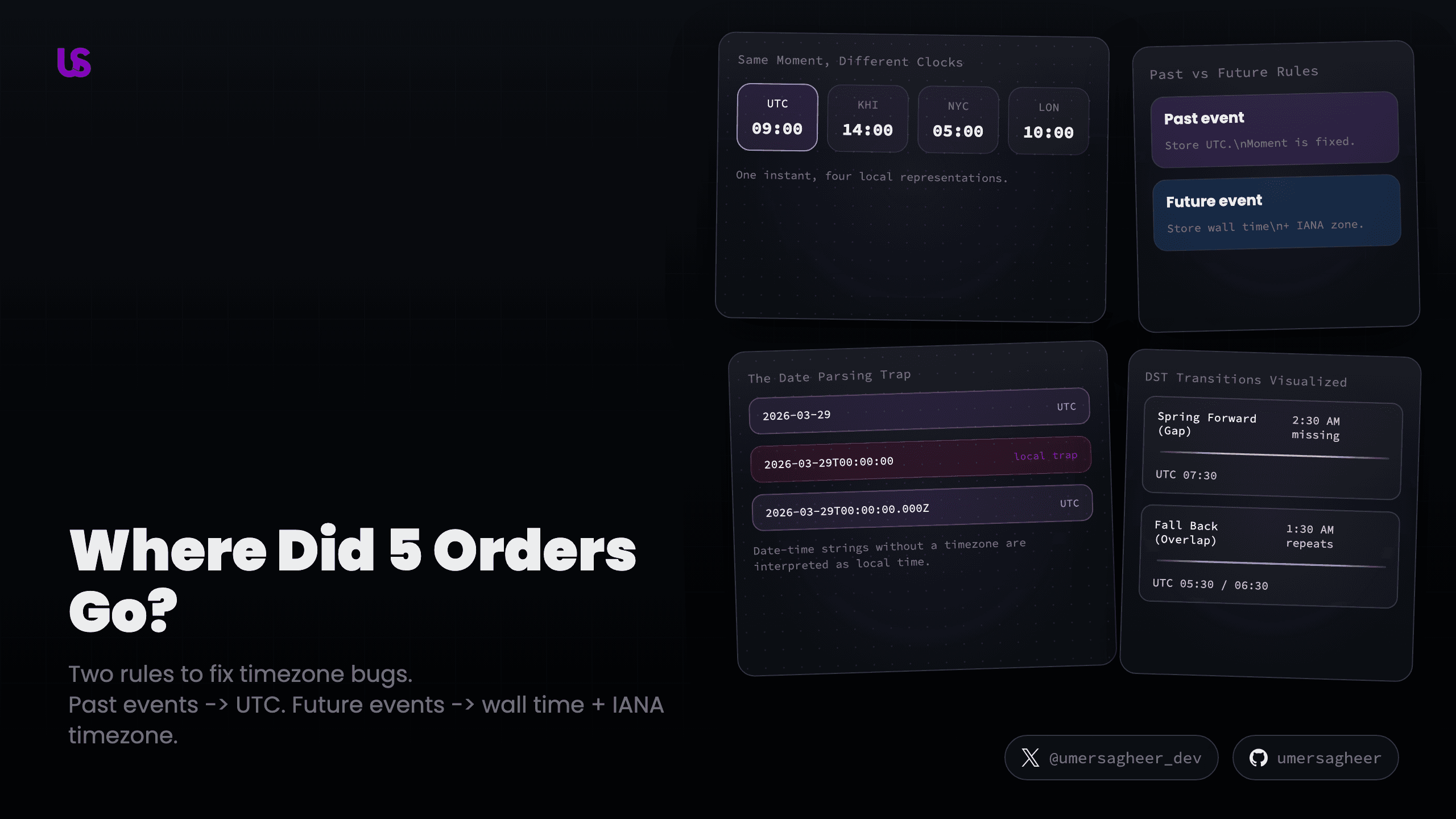
Your e-commerce app shows 47 orders for March 28, but the operations manager in Karachi counted 52. The numbers don't match. Your code is correct. Your queries are correct. You even double-checked the database.
Where did 5 orders go?
They're in March 27. At least, they are in UTC. Those 5 customers ordered between midnight and 5 AM local time — which maps to the previous day when your report groups by UTC date instead of the business's timezone. This is a timezone bug, and almost every developer ships one at some point.
This post is structured by use case, not skill level. Find the section that matches your problem, and start there.
Before you jump sections, lock in one mental model:
- Past event → one fixed moment already happened → store UTC
- Future event → one wall time that has not happened yet → store wall time + IANA timezone
Everything else in this post is a consequence of that split.
- Section 1: Your data is about the past (orders, logs, reports)
- Section 2: Your data is about the future (scheduling, recurring events)
- Section 3: The practical guide (databases, ORMs, the AT TIME ZONE trap, frontend, backend)
- Section 4: The Hall of Shame (common bugs with interactive demos)
Your Data Is About the Past
If you're building reporting dashboards, order histories, audit logs, or analytics — this section is for you. Your data records something that already happened. The moment is fixed. It won't change.
UTC: The Universal Reference Point
UTC (Coordinated Universal Time) is the reference clock that every timezone is defined against. Think of it as the one clock that everyone in the world agrees is "correct" — every other clock is just UTC plus or minus some hours.
When it's 12:00 PM UTC, it's simultaneously 5:00 PM in Pakistan (UTC+5), 8:00 AM in New York (UTC-4 in summer), and 1:00 PM in London (UTC+1 in summer). Same moment, different clock readings.
JavaScript Already Stores UTC — Most Devs Don't Realize This
Here's a fact that surprises many developers: new Date() doesn't store "local
time" or "the server's timezone." It stores a single number — milliseconds since
January 1, 1970, 00:00:00 UTC. That's it. A JavaScript Date object has no
timezone. It's always UTC internally.
const now = new Date()

now.toISOString() // "2026-03-29T12:00:00.000Z"
//                                              ↑
//                                  "Z" = Zulu = UTC

now.getTime() // 1774958400000 (milliseconds since epoch)
The confusion comes from display methods. .toString() and .getHours() show
you the time in whatever timezone the machine is set to. .toISOString() and
.getUTCHours() show you the actual UTC value. The internal value never changes
— only the lens you view it through.
The Golden Rule
For past events, there's one rule that prevents most timezone bugs:
Store UTC → Filter with UTC ranges → Display in local time
- Store UTC.
new Date()does this automatically. Prisma sends it correctly. You don't need to manually convert. - Filter with UTC ranges. "Show me March 28 orders for Karachi" means: find
orders between
March 27 19:00 UTCandMarch 28 18:59 UTC. That's "midnight to midnight" in Pakistan time, expressed in UTC. - Display in local time. Convert to the user's timezone only at the last step — in the UI, or in SQL grouping for charts.
The Date String Parsing Trap
Before we dive into the parsing trap, let's look at what these date strings actually contain — hover each segment to see what it does:
Now try switching to "No Z (trap!)" — that missing Z is exactly where the
next demo's bug comes from:
This is one of the most common production bugs with dates. A date picker returns
'2026-03-29T00:00:00'(no Z), JavaScript parses it as local time, and for anyone east of UTC, it becomes the previous day. Always appendZfor UTC, or send date-only strings.
The ECMAScript spec says date-only strings (YYYY-MM-DD) are parsed as UTC, but
date-time strings without a Z or offset are parsed as local time. This
means new Date('2026-03-29') gives you midnight UTC, but
new Date('2026-03-29T00:00:00') gives you midnight local time — which could
be the previous day in UTC if you're east of Greenwich.
Always append Z for UTC, or use date-only format if you just need the date.
// ✅ Safe — explicit UTC
new Date('2026-03-29T00:00:00.000Z')

// ✅ Safe — date-only (spec says UTC)
new Date('2026-03-29')

// ❌ Dangerous — parsed as local time
new Date('2026-03-29T00:00:00')
The Journey of a Timestamp
From the moment a user clicks "place order" to the moment it appears in a report, a timestamp passes through multiple layers — each with its own rules. Try the demo below to see what happens at each stage:
Notice how the value transforms at each stage but always represents the same moment. The UTC value stays constant through the pipeline — only the display changes at the end.
If your app also handles scheduling, recurring events, or serves users who cross
timezones — keep reading. The rules change completely. If you want the database
and ORM specifics (including the AT TIME ZONE trap that bit us in production),
jump to Section 3.
Your Data Is About the Future
If you're building calendar features, reminders, scheduled notifications, cron jobs, or anything that says "do this later" — the rules from Section 1 are not enough. They can actually break your app.
Navigation shortcut: If you only work with past dates (logs, orders, reports), you can skip to Section 3 for database and ORM best practices — those apply regardless.
Past vs Future: Two Different Storage Rules
This is the single most important mental model in this entire post:
Past events — the moment already happened. Store UTC. It's unambiguous. Convert to local time only for display.
Future events — the moment hasn't happened yet. The UTC offset might change between now and then (DST, government rule changes). Store the user's wall time (what they see on their clock) plus the IANA timezone name. Compute the UTC equivalent only when the event is about to fire.
What the IANA Timezone Database Is
When we say "store the timezone name," we mean an IANA timezone name like
America/New_York or Asia/Karachi. IANA stands for the Internet Assigned
Numbers Authority — they maintain the official list of all timezones in the
world.
You don't need to care about the organization. Just know that the IANA database is a giant file that says: "New York is UTC-5 in winter, UTC-4 in summer, switches on the 2nd Sunday of March and 1st Sunday of November, and here's every rule change since 1883."
Every phone, operating system, and programming language uses this same database. When your phone auto-adjusts for Daylight Saving Time, it's reading from IANA.
The names follow the format Continent/City:
America/New_York      ← US Eastern (handles EST ↔ EDT switching)
Asia/Karachi          ← Pakistan (always UTC+5, no switching)
Europe/London         ← UK (handles GMT ↔ BST switching)
Why these names matter: If you store UTC-5 or EST, you've lost
information. UTC-5 doesn't encode DST rules. EST is ambiguous — Australia
also has an EST (UTC+10). Only America/New_York encodes the full switching
behavior, including when it starts and what happens during each transition.
// Get the user's IANA timezone from the browser — for free
const userTZ = Intl.DateTimeFormat().resolvedOptions().timeZone
// Returns: "America/New_York", "Asia/Karachi", etc.
EST vs EDT — Not Two Timezones
Think of it like a sign on a shop door. In winter, the sign reads "EST" — the shop (New York) is 5 hours behind UTC. In summer, someone flips the sign to "EDT" — now it's only 4 hours behind. The shop didn't move. The sign just changed.
EST and EDT are two modes of the same timezone (America/New_York). The "S"
stands for Standard (winter). The "D" stands for Daylight (summer). Every
timezone that observes DST has this pair: CST/CDT, PST/PDT, GMT/BST.
Daylight Saving Time: Spring Forward and Fall Back
DST is a practice where clocks shift by 1 hour twice a year. Not everyone observes it — Pakistan, Japan, China, and India don't. But the US, Canada, most of Europe, and the UK do.
This creates two dangerous transitions:
Spring Forward (the gap): On March 8, 2026 at 2:00 AM in New York, clocks jump to 3:00 AM. The hour 2:00–2:59 AM never happens. If someone schedules a task for 2:30 AM, you have an impossible time.
Fall Back (the overlap): On November 1, 2026 at 2:00 AM in New York, clocks rewind to 1:00 AM. The hour 1:00–1:59 AM happens twice — once in EDT (UTC-4), then again in EST (UTC-5). If someone schedules a task for 1:30 AM, which one do they mean?
The Daily Standup Bug
A team in New York sets a daily standup at 9:00 AM local time. You're a good
developer — you store it in UTC: 14:00 UTC (since 9 AM EST = 14:00 UTC during
winter).
Then March 8 rolls around — the DST transition we just covered. Now 14:00 UTC
is 10:00 AM local time. The team shows up an hour late.
Toggle between the two strategies above. The UTC version breaks on DST. The wall time version stays at 9:00 AM because the UTC equivalent is recomputed at fire time, not baked in at schedule time.
Handling DST in Code
For the gap (spring forward), most libraries automatically shift the impossible time forward. Luxon, for example, would turn 2:30 AM into 3:30 AM EDT. The important thing is to detect and inform the user rather than silently adjusting:
import { DateTime } from 'luxon'

// March 8, 2026, 2:30 AM in New York — doesn't exist
const event = DateTime.fromObject(
  { year: 2026, month: 3, day: 8, hour: 2, minute: 30 },
  { zone: 'America/New_York' }
)

console.log(event.toISO())
// 2026-03-08T03:30:00.000-04:00 — Luxon shifted it forward
For the overlap (fall back), you need to decide which occurrence to pick. Most libraries default to the first (before the transition). The upcoming Temporal API will let you explicitly choose:
// Future JavaScript (Temporal API):
Temporal.ZonedDateTime.from(
  {
    year: 2026,
    month: 11,
    day: 1,
    hour: 1,
    minute: 30,
    timeZone: 'America/New_York'
  },
  { disambiguation: 'earlier' } // or 'later', 'compatible', 'reject'
)
Try It: Schedule Across a DST Transition
This is the demo that makes DST problems visceral. Pick a time, pick a timezone, and fast-forward through the transition:
When the User Changes Location
What happens when a New York user who scheduled a 9 AM reminder flies to London?
Model A: Timezone on the event (Google Calendar style). The event stays at 9 AM New York time. In London, the user sees "9:00 AM EST (2:00 PM your time)." Best for shared meetings tied to a place.
Model B: Timezone on the user profile (personal reminder style). The user updates their profile to London. Now the 9 AM reminder fires at 9 AM London time. Best for personal alarms.
Most apps need a hybrid: shared events use Model A, personal events use
Model B. You can auto-detect location changes from the browser using
Intl.DateTimeFormat().resolvedOptions().timeZone and prompt the user: "It
looks like you're in London now. Update your timezone?"
iCal RRULE for Recurring Events
If you're building recurring events (weekly meetings, monthly reports), you need a way to express "every Monday at 9 AM" in a standard format. That's what RRULE is — a mini-language from the iCalendar spec used by Google Calendar, Apple Calendar, and Outlook.
RRULE:FREQ=WEEKLY;BYDAY=MO
→ "Every Monday"

RRULE:FREQ=MONTHLY;BYMONTHDAY=15
→ "On the 15th of every month"

RRULE:FREQ=DAILY;BYDAY=MO,TU,WE,TH,FR
→ "Every weekday"
Store the RRULE alongside the wall time and timezone:
{
  "what": "Daily standup",
  "wall_time": "09:00",
  "timezone": "America/New_York",
  "recurrence": "RRULE:FREQ=DAILY;BYDAY=MO,TU,WE,TH,FR"
}
Each occurrence gets its own UTC calculation. Monday's standup might be 14:00 UTC in winter and 13:00 UTC in summer — but it's always 9:00 AM on the user's clock.
Understanding the theory prevents bugs. The next section shows you where those bugs actually live — in your ORM, your database driver, and the code between your frontend and backend.
The Practical Guide
This section is the reference you'll bookmark. It covers the specific tools and patterns across your stack — databases, ORMs, Node.js, and the frontend.
PostgreSQL: Two Timestamp Types
PostgreSQL has two timestamp types, and choosing the wrong one is the source of most database-level timezone bugs.
timestamp without time zone — a bare number. PostgreSQL has no idea what
timezone it's in. It's like writing "5:00" on a sticky note without saying AM/PM
or which city. Ambiguous.
timestamp with time zone (timestamptz) — PostgreSQL knows it's UTC. It can
intelligently convert to any timezone. PostgreSQL internally stores everything
as UTC regardless, but timestamptz tells it to interpret inputs and format
outputs with timezone awareness.
PostgreSQL's own documentation recommends timestamptz for most applications.
If you use timestamptz from the start, a single AT TIME ZONE just works —
the dual-application trick below is only needed when you're stuck with bare
timestamp.
ORMs: What They Default To (and Why It's Wrong)
Now that you know the difference between the two types, let's see what ORMs
actually default to. Every major Node.js ORM maps DateTime to a timestamp type
that is not timezone-aware by default. This works fine for simple apps but
creates subtle bugs the moment you write raw SQL queries or work with multiple
timezones.


Prisma maps DateTime to timestamp(3) without time zone by default. To
get timestamptz, add @db.Timestamptz(3). Most Prisma users don't realize
this until they hit the AT TIME ZONE trap in a raw query.
TypeORM lets you choose the type in the decorator, but if you use
timestamp (bare), it may interpret values as the server's local time when
reading — not UTC. Fix: set -c timezone=UTC in your connection options.
Drizzle is the most explicit — you pass { withTimezone: true } or false.
It also has a mode option ('date' vs 'string') that controls whether you
get JavaScript Date objects or ISO strings back.
The Prisma round-trip is worth understanding in detail:
JS Date → Prisma sends ISO string → PostgreSQL stores it
PostgreSQL → Prisma reads → creates JS Date (always UTC)
This round-trip is safe with Prisma's ORM methods. It breaks when you mix in
$queryRaw with AT TIME ZONE:
// ❌ Single AT TIME ZONE on Prisma's default timestamp type:
const result = await prisma.$queryRaw`
  SELECT * FROM "Order"
  WHERE "createdAt" AT TIME ZONE 'Asia/Karachi' > ${someDate}
`

// ✅ Double AT TIME ZONE:
const result = await prisma.$queryRaw`
  SELECT * FROM "Order"
  WHERE ("createdAt" AT TIME ZONE 'UTC') AT TIME ZONE 'Asia/Karachi' > ${someDate}
`
The AT TIME ZONE Trap: A War Story
We had a production analytics dashboard for an e-commerce platform. We stored
order timestamps using Prisma's default DateTime — which maps to
timestamp without time zone in PostgreSQL. Everything worked fine until
someone built a "Peak Hours" chart.
The query was straightforward:
SELECT EXTRACT(HOUR FROM "createdAt" AT TIME ZONE 'Asia/Karachi') AS hour,
       COUNT(*) AS orders
FROM "Order"
GROUP BY hour ORDER BY hour
Orders placed at 5 PM Pakistan time showed up in the 7 AM bucket. Not off by 5 hours — off by 10. Here's what happened:
The same SQL keyword does opposite things depending on the input type. On
timestamptz, AT TIME ZONE 'Asia/Karachi' converts to Pakistan time. On
bare timestamp, it assumes the value is already in Pakistan time and
converts to UTC — the opposite direction. So our 12:00 stored value (which
was UTC) got treated as 12:00 PKT and converted backward to 07:00 UTC.
The fix was a two-character change: double AT TIME ZONE. The first one
labels the bare timestamp as UTC (producing a timestamptz), the second one
converts to the target timezone.
-- ❌ Single (wrong direction on bare timestamp):
EXTRACT(HOUR FROM "createdAt" AT TIME ZONE 'Asia/Karachi')

-- ✅ Double (label as UTC first, then convert):
EXTRACT(HOUR FROM ("createdAt" AT TIME ZONE 'UTC') AT TIME ZONE 'Asia/Karachi')
Node.js Server: Where getHours() lies
getHours() returns the hour in the server's timezone. That depends on
where your code runs:
| Server location | getHours() for 09:00 UTC | getUTCHours() |
|---|---|---|
| US East server (UTC-5 / UTC-4) | 4 or 5 | 9 |
| Mumbai server (UTC+5:30) | 14 | 9 |
| Developer laptop (UTC+5) | 14 | 9 |
getUTCHours() always returns 9. getHours() gives you a different answer on
every machine. Never use getHours(), getDay(), or getDate() on the
server unless you intentionally want the server's local time.
This is why "it works on my laptop but breaks in CI" happens. If your laptop is in
Asia/Karachi(UTC+5) and the CI server is UTC, code that usesgetHours()ornew Date('2026-03-29T00:00:00')(local time parsing) produces different results on each machine. SetTZ=UTCin your local.envto match production.
You can force Node.js to think in UTC:
# In your .env or hosting platform
TZ=UTC
Railway, Vercel, and AWS Lambda default to UTC. Your local Mac doesn't. This is why "it works locally but breaks in production" happens — or the reverse.
Frontend: Libraries and When You Need Them
You don't need a library if you're just displaying dates in the user's
browser timezone. The built-in Intl API handles this with zero bundle cost:
const date = new Date('2026-03-29T09:30:00.000Z')

// User's local timezone (automatic)
date.toLocaleString('en-US')

// Specific timezone
date.toLocaleString('en-US', { timeZone: 'America/New_York' })

// Full formatting control
new Intl.DateTimeFormat('en-US', {
  timeZone: 'America/New_York',
  weekday: 'long',
  year: 'numeric',
  month: 'long',
  day: 'numeric',
  hour: '2-digit',
  minute: '2-digit',
  timeZoneName: 'short'
}).format(date)
// "Sunday, March 29, 2026, 05:30 AM EDT"
You need a library if you're doing timezone math, detecting DST transitions, or converting between zones programmatically:
| Library | Use case | Bundle size |
|---|---|---|
| Intl API | Display formatting | 0 KB (built-in) |
| date-fns-tz | Lightweight timezone conversions | ~3 KB |
| Luxon | Full timezone math, DST detection | ~23 KB |
| Day.js + tz plugin | Middle ground, chainable API | ~7 KB |
Temporal API is the future (TC39 Stage 3) — native timezone-aware date/time types built into JavaScript, with explicit DST disambiguation. It's not widely available yet, but it's the endgame.
The Frontend ↔ Backend Contract
The rules are simple:
- Frontend sends UTC or date strings, never local time.
JSON.stringify()automatically converts Date objects to UTC (viaDate.toJSON()), so if you're usingfetchwith a JSON body, you're already doing this. - Backend returns UTC. Always. The frontend decides how to display it.
- Date pickers send date strings (
"2026-03-29"), not timestamps. The server handles timezone conversion using the user's configured timezone.
// This happens automatically:
JSON.stringify({ orderDate: new Date() })
// '{"orderDate":"2026-03-29T14:30:00.000Z"}'
//                                       ↑ UTC

// The frontend formats for display:
new Intl.DateTimeFormat('en-US', {
  timeZone: userTimezone
}).format(new Date(order.createdAt))
The Hall of Shame
Real bugs, interactively reproduced. Each one is a pattern you'll recognize — or one that's waiting for you in production.
Bug 1: Yesterday's Order in Today's Report
Symptom: The operations manager counts 52 orders for March 29 but the dashboard shows 47. Five orders are missing.
Cause: The report groups by UTC date. Orders placed between midnight and 5 AM in Pakistan (UTC+5) fall on the previous day in UTC:
Fix: Convert the report's date range to UTC boundaries before grouping. "March 29 in Pakistan" = "March 28 19:00 UTC to March 29 18:59 UTC."
Fix recipe:
- Take the requested business day in the business timezone.
- Convert local midnight and the next local midnight to UTC.
- Query between those UTC timestamps instead of grouping by raw UTC dates.
Bug 2: The AT TIME ZONE Production Bug
Symptom: Analytics Peak Hours chart shows orders in completely wrong time buckets — 5 PM orders appearing at 7 AM.
Cause: Single AT TIME ZONE on a timestamp without time zone column.
PostgreSQL interprets the value as already being in the target timezone and
converts in the wrong direction, causing a 10-hour shift instead of the expected
5-hour adjustment.
The fix was a two-character change in the SQL query — adding
AT TIME ZONE 'UTC' before the timezone conversion. Scroll back up to the AT
TIME ZONE Trap demo to see it interactive.
Fix recipe:
- Check whether the column is
timestamportimestamptz. - If it is bare
timestamp, label it as UTC first withAT TIME ZONE 'UTC'. - Apply the second
AT TIME ZONEto convert into the reporting timezone.
Senior Engineer Checklist
A scannable reference for before, during, and after writing timezone-sensitive code.
Before writing code
In the database layer
In the API layer
In the frontend
In tests
When debugging
Wrapping Up
Here's what we covered:
- Past events → store UTC. The moment is fixed. Convert to local time only for display.
- Future events → store wall time + IANA timezone. Compute UTC at fire time, not schedule time.
- The
AT TIME ZONEtrap — single vs double application produces opposite results on bare timestamps. - ORM defaults are not timezone-aware — Prisma, TypeORM, and Drizzle all
need explicit configuration for
timestamptz. getHours()lies — it depends on the server's timezone, not the data's timezone.- DST creates gaps and overlaps — spring forward skips an hour, fall back repeats one. Both break naive scheduling.
- The Intl API is free — most timezone display formatting needs zero external libraries.
- Never store offsets. Use IANA timezone names (
America/New_York), never abbreviations (EST) or fixed offsets (UTC-5).
Further Reading
- PostgreSQL Documentation: Date/Time Types
— the authoritative reference on
timestampvstimestamptzbehavior - Storing UTC is not a Silver Bullet — Jon Skeet's excellent post on why UTC alone fails for future events
- The Complexities of Timezone Handling in Software — falsehoods programmers believe about timezones
- TC39 Temporal Proposal — the future of date/time handling in JavaScript, with first-class timezone support
- IANA Time Zone Database — the source of truth used by every OS and programming language
- Computerphile: The Problem with Time & Timezones — Tom Scott's video that makes DST click in under 10 minutes