
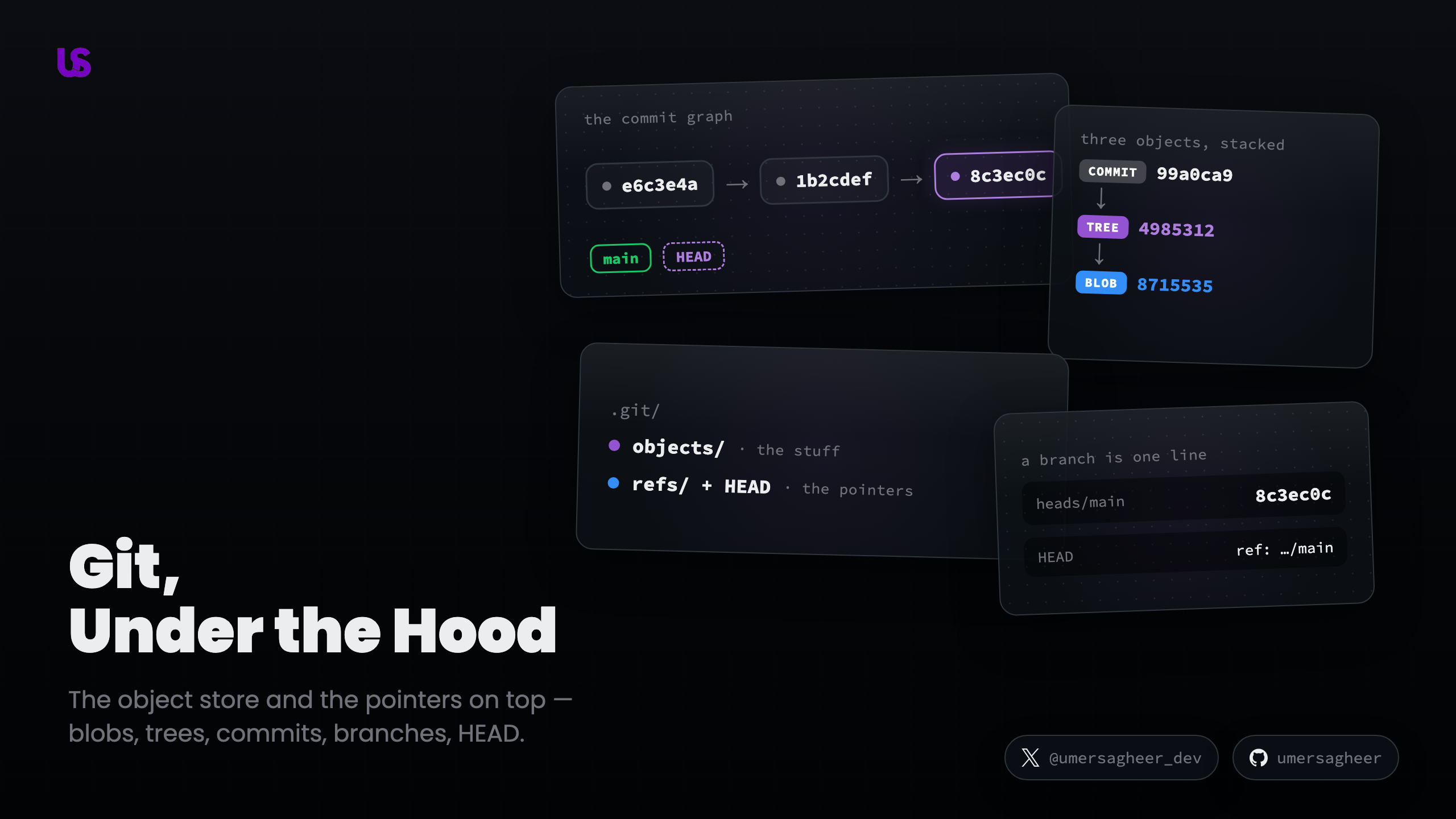
Git, Under the Hood: An Interactive Tour of How Git Really Works




You use Git every day, and most days it just works — until the day it doesn't. A rebase goes sideways, a branch seems to vanish, and you paste the error into your AI of choice. It hands you a command, the command works, and you still have no idea what actually happened.
That's the quiet trap: AI is great at handing you the command, but it lets you skip the mental model. And the fix was never more commands anyway — it's the model underneath them. Once you can picture the little objects Git stores and the pointers it moves around, the scary commands stop being magic — they become obvious.
This post builds that picture from the ground up, and it's meant to be played with. Every big idea comes with something you can poke at and watch respond.
Part 1 — The Object Store
Before we touch a single command, we're going to open Git up and look at what it actually keeps on disk. It's less than you'd think, and every command in the second half of this post is just moving these few pieces around.
What lives inside .git
Run git init in an empty folder and Git does something quietly dramatic: it creates
one hidden directory, .git/, and that directory is your repository. Not a copy of
it, not a log of it — the whole thing. Delete .git/ and your files stay, but every
commit, branch, and scrap of history is gone in an instant. So let's open it up and
see what's in there.
At first glance it looks like a lot. It isn't. Run the command yourself below, and watch what shows up — almost everything inside splits into just two halves:
Hold onto that split, because it's the shape of this entire post:
objects/is the stuff. Every version of every file, and every commit, lives here as an object. This is the whole of Part 1 — where your content actually goes, and how Git names it.refs/andHEADare the pointers. They don't hold any content of their own; each is a tiny file that just names an object inobjects/. A branch is a pointer.HEADis the pointer that says which branch you're on. That's all of Part 2.
The other two are supporting cast. index is a scratchpad — the staging area
where a commit is assembled before it's made; we'll come back to it once the objects
make sense. And config, hooks/, description and friends are plumbing you can
happily ignore for this whole post.
So Git is really just a bag of objects, plus some pointers into the bag. For the rest of Part 1 we'll stay on the objects side — the "stuff" half — and come back to the pointers in Part 2.
And the objects side isn't a flat bag either; it's a little ladder. Everything starts as a blob (raw content, named by a hash), blobs get their filenames from trees, and trees get their history from commits. Three object types, stacked. We'll climb that ladder one rung at a time — and it starts at the bottom, with a single question: when you hand Git a file, how does it decide what to name it?
Content-addressable storage
Here's the one idea that everything else in Git is built on: Git names things by their content.
Normally you name a file first (report.txt) and then decide what goes in it. Git
does the opposite. You hand it some content, and it hands you back a hash — a
fingerprint of exactly those bytes. That hash becomes the address Git files the
content under. Same bytes, same address. This is called content-addressable
storage, and it's why the same word keeps showing up throughout this post.
Play with it below. Type into either file and watch its hash recompute the instant the content changes:
Two things fall out of this, and the demo above lets you trigger both:
- Identical content is stored only once. If two files (or two hundred, across a hundred commits) contain the same bytes, they hash to the same address, so Git keeps a single copy. Make the two files above match and watch them collapse into one shared object. This is why a repo with thousands of commits isn't thousands of full copies of your project.
- Corruption can't hide. Because the address is derived from the content, if a single byte of a stored object ever changed, its hash would no longer match the name it's filed under — and Git would notice immediately. Try flipping one character with the preset buttons: the whole hash scrambles. That sensitivity is a feature.
So Git isn't really a pile of files with names. It's a key-value store where the key is a hash of the value. Everything from here on — every commit, branch, and merge — is just objects in this store and pointers between them.
The three kinds of objects
We said Git is a key-value store of content. But content alone isn't enough — you also need filenames, folders, and a sense of history. Git builds all of that out of just three kinds of objects, and they stack neatly on top of each other.
A blob is raw content. When you stage a file, Git stores its bytes as a blob — and that's it. A blob has no name, no path, no timestamp. It's a naked chunk of content, addressed by its hash. Two files with identical contents share one blob (that's the dedup you saw above).
A tree gives blobs their names. If blobs have no filenames, where do names live? In a
tree object. A tree is basically a directory listing: a set of entries, each mapping a
name to a hash. app.py → <blob hash>, utils.py → <blob hash>. A tree can also point at
other trees — that's how Git represents subfolders. So a tree is a snapshot of one
directory, and trees-pointing-at-trees is your whole project structure.
A commit wraps a tree in history. A commit ties everything together. It points at a single tree (the complete snapshot of your project at that moment) and adds the metadata you actually think of as "a commit": the author, the message, and — crucially — the hash of the parent commit that came before it. That parent pointer is what strings commits into a history.
So your files turn into a small stack of objects: a blob per file (the content), one
tree naming them all (the directory), and a commit on top (the history). Step
through it below — on the left, watch .git/objects fill up (the same folder that was
empty back when you ran git init); on the right, watch the objects point at one another:
The important part is what points at what. The commit doesn't contain your file — it points at a tree, and the tree points at the blob. That indirection is the whole trick.
The staging area — where objects get written
We now know what Git stores. But when, exactly, does it get written? Most of us run
git add and git commit back-to-back, like one motion — the save ritual. They're not one
motion. They do genuinely different jobs, and the difference lives in that last file from
git init: the index, the scratchpad.
Here's the split that surprises people: git add writes a blob immediately. The moment you
stage a file, Git hashes its contents, writes the blob into objects/ right then, and records
one line in the index — this path → this blob hash. The object already exists. You haven't
committed anything, but the content is already safely in the store.
So what is the index? Just a list: "what my next commit will contain." And it's a choice —
you might change five files but stage only two. Whatever you add goes on the list; whatever you
don't is simply left out of the next commit. The index is where you assemble exactly the snapshot
you want, one file at a time.
Then git commit does the second half. It reads the index, folds those staged entries into a
tree (and writes it), then wraps that tree in a commit — the commit points at the tree
(not the blobs directly), and adds the author, message, and parent. Nothing new is invented; it
just packages up the blobs add already wrote.
Try staging only some of the files, then commit: the ones you left unchecked never make it into the object store's tree — they're still sitting in your working directory, waiting. That's the whole point of the index. And notice the chain that gets built: commit → tree → blobs. Because the commit's tree names every staged file, each commit ends up being a complete snapshot — which is exactly where we're headed next.
Snapshots, not diffs
Most people picture a commit as a diff — a little bundle of "what changed since last time." That's how the tools show history, so it's a reasonable guess. But it's not what Git stores.
Every commit is a complete snapshot of your whole project. Its tree names every file, and every file points at a blob — not just the ones you touched. That sounds hopelessly wasteful, but remember the very first idea in this post: Git names blobs by their content. So a file you didn't change hashes to the same blob it did last commit, and Git already has that object. The new snapshot just points at it again. Unchanged content is shared, never copied — which is why a repo with a thousand commits isn't a thousand copies of your project.
So where do diffs come from? Git computes them on the fly, by comparing two snapshots, right
when you run git diff or git log -p. The diff is a view, generated on demand and thrown away
— never written to disk. Step through this little history and flip between the two: what Git
stores (snapshots, with unchanged files reusing the same blob) versus what Git shows you
(a freshly computed diff).
Watch the tree at the top of the snapshot view. Each commit gets a new tree — the listing changed, so its hash changed — but look at what it points at: on every step, at least one blob below it carries its hash over unchanged. The new tree simply reuses the old blob. That's the dedup doing its job. And the diff panel is honest about it too: for an unchanged file there's nothing to compute, because both snapshots already point at the same object.
Part 2 — The Pointers
The object store from Part 1 is the hard part, and you've got it: blobs, trees, commits, all named
by their content and sharing whatever they can. But a pile of objects isn't yet a history — something
has to say which commit is the latest, and where you are right now. That second half lives in the
other folder you met back at git init: refs/. Everything in here is astonishingly light — a
handful of tiny files that just hold a hash and point. Once you see the objects from Part 1 and
the pointers here, you've seen all of Git — every command is some combination of write an object
and move a pointer.
Branches are just pointers
Open GitHub and a branch looks heavy. It sits in its own lane, a whole parallel line of work, a place your code lives. Creating one feels like it should copy something. Switching to one feels like loading a different version of the project. It's easy to picture a branch as a big, separate container.
Now open the branch itself. It lives in that refs/ folder from earlier, at
.git/refs/heads/main, and here is the entire file:
8c3ec0c9a1f4b2e7d5a0c3e6f9b2d4a1c7e0f3b6That's it. One line — a single 40-character hash, plus a newline. A branch isn't a container that holds commits; it's a 41-byte text file that holds one commit's hash. What GitHub draws as a fat parallel timeline is, under the hood, this: a sticky note with one address written on it.
Once you see that, every "branchy" operation stops being scary and becomes a tiny file edit:
- Creating a branch writes a new little file with one hash in it. That's why it's instant — Git isn't copying your project, it's writing 41 bytes.
- Committing overwrites the hash inside the current branch's file with the new commit's hash. The branch "moves forward" — but nothing moved except one line of text.
- Deleting a branch deletes the file. The commits it pointed at aren't touched; you only threw away the sticky note.
 what a Git GUI shows
So a branch is just a name pointing at a commit. But if branches are only files sitting in a folder, how does Git know which one you're currently on — which file a new commit should update? That's the job of one more pointer.
HEAD — where you are
We just left off with a question: you've got two branch files now, main and feature,
each holding a hash. When you type git commit, which one gets rewritten? Git has to
remember which branch you're standing on. That memory is a file too — and it's the last
pointer you need.
If you've written C, you already know this shape. A branch is a pointer: it holds an address (a hash) that leads to the commit. HEAD is a pointer to a pointer — it doesn't hold a commit at all; it holds the name of a branch. Open it and you can read it straight off:
ref: refs/heads/mainThat's the whole of .git/HEAD. Not a hash — a reference to a branch. So the chain is:
HEAD → a branch → a commit. HEAD says "you're on main," main says "the latest commit
is this hash," and the commit is the actual snapshot. Two hops, both just text.
Watch it move. Switching branches only rewrites that one line inside .git/HEAD; committing
leaves HEAD alone and slides the branch forward underneath it:
This is why HEAD is clever, not complicated. Because it points at a branch and not a
commit, you commit ten times and never touch HEAD once — it's aimed at main, and main
does the moving. One tiny file quietly answers "where am I?" for every command you run.
There's one exception worth naming: sometimes .git/HEAD holds a commit hash directly,
skipping the branch — the pointer-to-a-pointer collapses into a plain pointer. That's the
famous detached HEAD state, and it has a way of eating people's commits if they don't
understand it. It's a whole story of its own, so it gets its own post.
The commit graph — the whole machine
This is where everything you've learned comes together, so let's build a real history and watch all of it move at once.
Every commit stores the hash of the commit that came before it — its parent. That single backward pointer is the thread that turns a pile of commits into a history. Follow the parents from any commit and you walk backwards through time, one commit at a time, until you reach the very first commit (which has no parent).
Because commits only ever point backwards, the shape you get can branch and rejoin but can never loop — you can't be your own ancestor. Mathematicians call that a directed acyclic graph, or DAG; think of it as a family tree where each commit knows its parent. Two rules are worth holding onto: arrows point child → parent (backwards in time, because a commit knows what came before it, not after), and a merge commit is the only kind with two parents — it's where two lines of history tie back together.
Now drive it yourself — and this time watch both panels. On the left is the graph a Git GUI
would draw you. On the right is everything Git actually keeps in .git: the object store
filling with commits (Part 1) and the pointers — refs/heads/* and HEAD — sliding around
(Part 2). Commit extends the current line, branch forks a new one, and merge ties two
lines back together.
Look at what each button really does on the right. Commit writes one new object and moves a
pointer. Branch writes a 41-byte file and moves HEAD. Merge writes one two-parent object
and moves a pointer. Checkout moves nothing but HEAD. That's the entire vocabulary — every
button is some mix of write an object and move a pointer, and nothing already in the store is
ever edited. That immutability is why Git can hand you the same commit hash forever, and why the
reflog can dig up "lost" work long after you thought it was gone.
Wrapping up
That's the entire machine. Strip away the commands and Git is just two things: an object
store — blobs, trees, and commits, each named by a hash of its own content — and a set of
pointers — branches and HEAD, tiny files that hold a hash and point into that store. You
initialize a repo and get both halves in one hidden folder; everything after that is objects
being written and pointers being moved across a graph.
Hold onto the one sentence the whole post keeps returning to: every Git command is some
combination of write an object and move a pointer. A commit writes objects and moves a
branch. A branch is a pointer. HEAD is a pointer to a pointer. And because objects are named
by their content, they're immutable — so "destructive" commands almost never destroy anything;
they just move a pointer away and leave the object sitting there, recoverable.
That last idea is the door into the rest of this series. Now that the model is in your head, the scary commands stop being magic — each one is just this model in motion:
git reset— soft, mixed, hard. One command, three effects, all explained by which pointer moves and what happens to the index.- reset vs revert. One rewrites history (moves a pointer back); the other adds a new inverse commit. Same goal, opposite mechanics.
- merge: fast-forward vs three-way. When Git slides a pointer versus when it writes a real two-parent commit.
- rebase. Why "moving commits" is a lie — it replays them as brand-new objects with new hashes.
- detached HEAD. What happens when
HEADpoints straight at a commit, and how work gets orphaned. - the reflog. The safety net — how Git journals every pointer move, so "lost" commits are almost always one lookup away.
Each is a short, focused follow-up that assumes exactly the model you just built. Pick whichever command has burned you before — you'll find there was never any magic in it, just objects and pointers.
Further Reading
- Pro Git — Git Internals: Git Objects — the canonical reference for the object model
- Git Internals — Plumbing and Porcelain — the low-level commands (
hash-object,cat-file) used to poke at.gitby hand - A Visual Guide to Git Internals — objects, branches, and building a repo from scratch
